

Debt is hard to pay off when you can’t see it. The balances live in different apps, the statements come on different days, and the total is a number you’d rather not add up, exactly the gap a debt payoff tracker closes.
A debt payoff tracker puts it all on paper. You list every debt once, pick the order you’ll pay them, and then write down every payment and the new balance as it falls.
This guide walks through the free printable set: an all-debts list, a one-page tracker for each debt and a color-in chart for $5,000 of payoff. You’ll see how to fill in every column, with a worked example.
- What’s in the debt payoff tracker set
- Step 1: Fill in the All My Debts list
- Step 2: Number your debts in payoff order
- Step 3: Set up one tracker sheet per debt
- Worked example: filling in the tracker
- Step 4: Color in your $5,000 chart
- How to use a debt payoff tracker so it keeps working
- Common mistakes
- FAQ
What’s in the debt payoff tracker set
There are three pages, and each does a different job.
- All My Debts list. Every balance, rate and minimum on one page. This is where you plan.
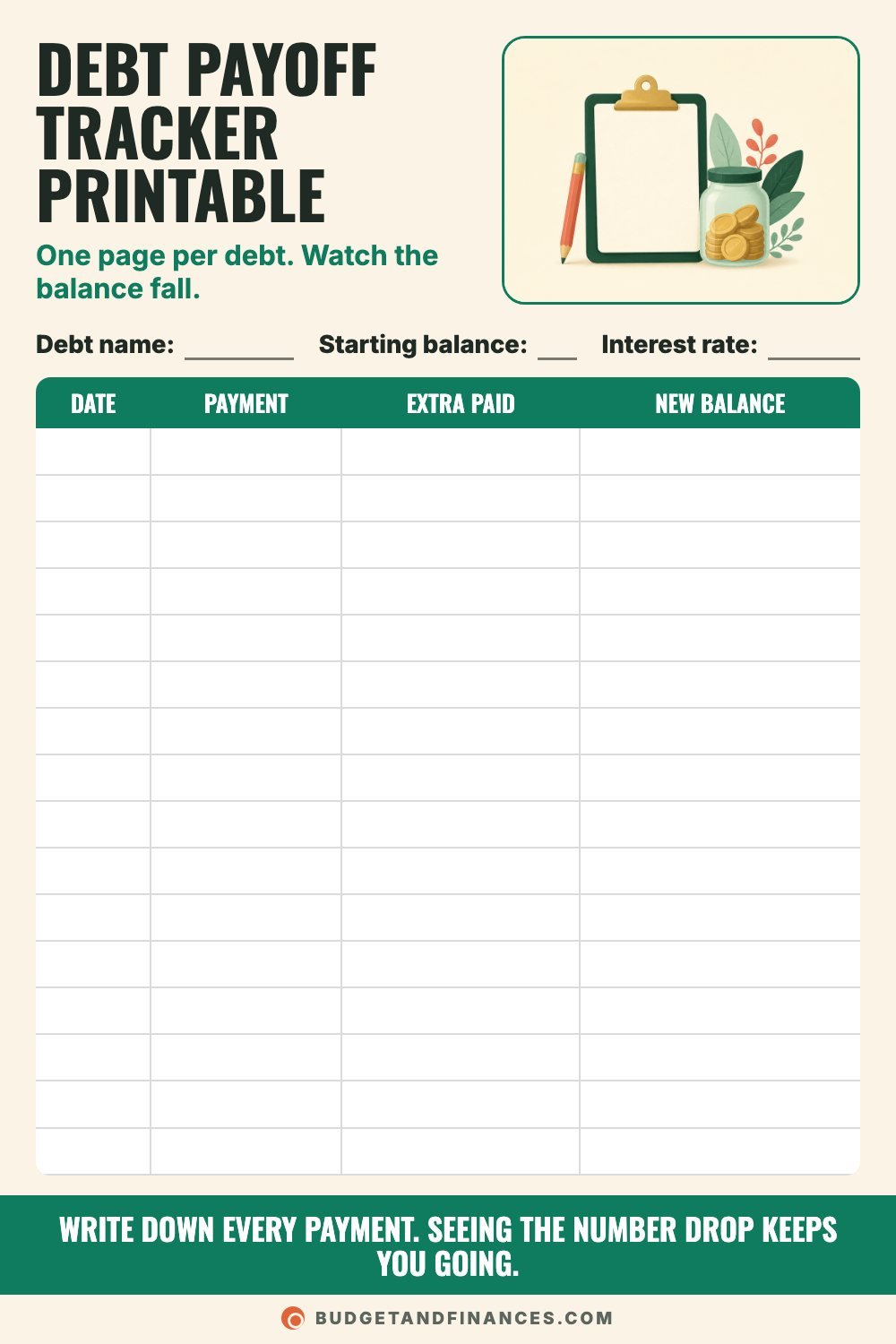
- Debt payoff tracker. One sheet per debt with 16 rows. This is where you log payments.
- $5,000 color-in chart. Fifty boxes at $100 each. This is where you see progress at a glance.
You can’t make a payoff plan until you see it all in one place, so start with the list.
Step 1: Fill in the All My Debts list
The top fields
- Month: the month you’re filling it out.
- Total debt: add up every balance in the table below and write the total here.
- Extra to pay: the amount above all your minimums that you can put toward debt each month. If it’s $0 right now, write $0. You can update it later.
The columns
Pull the latest statement for each card and loan. Include the ones you’d rather not look at, like a medical bill or money on a store card.
- Debt: a short name, like “Gas card” or “Car loan.”
- Balance: the current balance from the statement.
- Rate: the interest rate (APR). If it’s a 0% promotional rate, write the date it ends next to it.
- Min payment: the minimum payment due.
- Payoff order: leave this blank until Step 2.
The sheet has 10 rows. If you have more debts than that, print a second copy.
Step 2: Number your debts in payoff order
There are two well-known ways to order a debt list. Both work when you stay consistent.
Debt snowball: best for motivation
- Number debts from smallest balance to largest.
- Pay minimums on all, extra on the smallest.
- Your first debt is gone sooner.
- Quick wins keep you filling in the tracker.
- It can cost more in interest overall.
Debt avalanche: best for saving interest
- Number debts from highest interest rate to lowest.
- Pay minimums on all, extra on the top rate.
- It usually pays the least total interest.
- Your first payoff can take longer.
- It works best if you can stay patient.
Pick the one you’ll actually stick with, and write 1, 2, 3 and so on in the Payoff order column.
Step 3: Set up one tracker sheet per debt
Print one tracker page for each debt. At the top, fill in:
- Debt name: match the name from your list.
- Starting balance: the balance on the day you start tracking.
- Interest rate: the APR from your statement.
Then each time you pay, fill in one row:
- Date: the date the payment posted.
- Payment: the total amount you paid.
- Extra paid: the part of that payment above the minimum. If you paid only the minimum, write $0.
- New balance: copy the balance from your statement or account.
That last one matters. Interest gets added each month, so the new balance usually isn’t just the old balance minus your payment. Use the real number from the lender.
Worked example: filling in the tracker
Say these are your debts:
| Debt | Balance | Rate | Min payment |
|---|---|---|---|
| Store card | $450 | 22% | $25 |
| Medical bill | $1,200 | 0% | $50 |
| Credit card | $3,100 | 24% | $90 |
| Car loan | $7,800 | 6.9% | $260 |
Total debt is $12,550. Minimums add up to $425 a month. You find $150 extra, so you’ll send $575 a month to debt in total.
Snowball order: Store card (1), Medical bill (2), Credit card (3), Car loan (4).
Avalanche order: Credit card at 24% (1), Store card at 22% (2), Car loan at 6.9% (3), Medical bill at 0% (4).
Say you pick the snowball. This month the store card gets its $25 minimum plus the $150 extra, so $175. On its tracker sheet you’d write the date, $175 in Payment, $150 in Extra paid, and the new balance from your next statement.
On the credit card sheet you’d write the $90 payment and $0 extra. At 24% a year, one month of interest on $3,100 is roughly $62, so the balance only drops by about $28. Your statement will be a little different, since card interest is usually figured on the daily balance. This is exactly why you copy the real balance instead of doing subtraction.
Rolling the payment forward
When the store card hits $0, its full $175 rolls to the next debt on your list. The medical bill then gets its own $50 minimum plus $175, which is $225 a month.
When the medical bill is paid, that $225 joins the credit card’s $90 minimum for $315 a month. Each payoff makes the next one faster.
Step 4: Color in your $5,000 chart
The color-in chart has 50 boxes worth $100 each, which is $5,000 in total. Every time another $100 of debt is paid off across all your debts, color one box.
In the example above, the three debts other than the car loan add up to $4,750. That’s 47 full boxes plus half of box 48, so one chart covers them. If your total is bigger, print a second chart and keep going.
Hang it where you’ll see it. Fifty boxes at $100 each fill up faster than you’d think.
How to use a debt payoff tracker so it keeps working
A tracker only works if you update it. These seven habits keep it honest.
- List every debt first. Pull statements for each card and loan, including the ones you’d rather not look at.
- Pick your payoff order. Snowball is smallest balance first. Avalanche is highest interest rate first.
- Log payments the same day. Write it down when the payment posts so the tracker matches your statement.
- Use the real balance. Copy the new balance from your statement. Interest means it isn’t just old minus payment.
- Track extra payments. Mark any money above the minimum. Those extra dollars are what shorten your payoff.
- Roll payments forward. When one debt hits $0, add its payment to the next debt on your list.
- Put it where you see it. Tape it inside a cabinet door or on the fridge.
Pick one day a week to update everything, like Sunday night, and stick to it.
Common mistakes
Leaving a debt off the list. A forgotten bill in collections or a loan from family still needs a plan. Write it down.
Doing the math instead of copying the balance. Your tracker will slowly drift away from reality. Always use the lender’s number.
Stopping extra payments after a payoff. The rollover is the whole point. If the freed-up payment goes back into spending, progress slows down.
Missing a minimum while focusing on one debt. Keep every minimum on autopay or on your bill tracker so the extra doesn’t cause a late fee somewhere else.
Switching methods every month. Choose snowball or avalanche and give it time.
FAQ
Should I use the debt snowball or the debt avalanche?
The avalanche usually costs less in total interest. The snowball gets you a paid-off debt sooner, which helps some people stay motivated. If you know you’ll lose steam without an early win, the snowball is a reasonable choice.
Should I include my mortgage on the debt tracker?
Many people leave the mortgage off the payoff list and focus on consumer debts like cards, car loans, personal loans and medical bills first. You can still list it so your total debt is complete.
Why didn’t my balance go down by the amount I paid?
Interest was added. Part of each payment covers the interest charged that month, and the rest lowers the balance. On high-rate cards, more of a minimum payment goes to interest.
What if I can’t find any extra to pay?
Write $0 in “Extra to pay” and keep tracking minimums anyway. Seeing the full picture often shows you where a small extra amount could come from later.
This is general education, not personal financial advice.