

You know roughly what your rent is. You probably don’t know what you spent on coffee, snacks and quick store runs last month. Almost nobody does without a daily expense tracker.
That gap is why budgets built on guesses fall apart. The small stuff is where money hides, and you can’t plan for spending you haven’t seen.
An expense tracker shows you. This guide walks through the free daily expense tracker and the monthly spending calendar, how to fill in each one, a filled-in example week, and a 30-day plan that turns what you find into a budget.
What’s in the printable
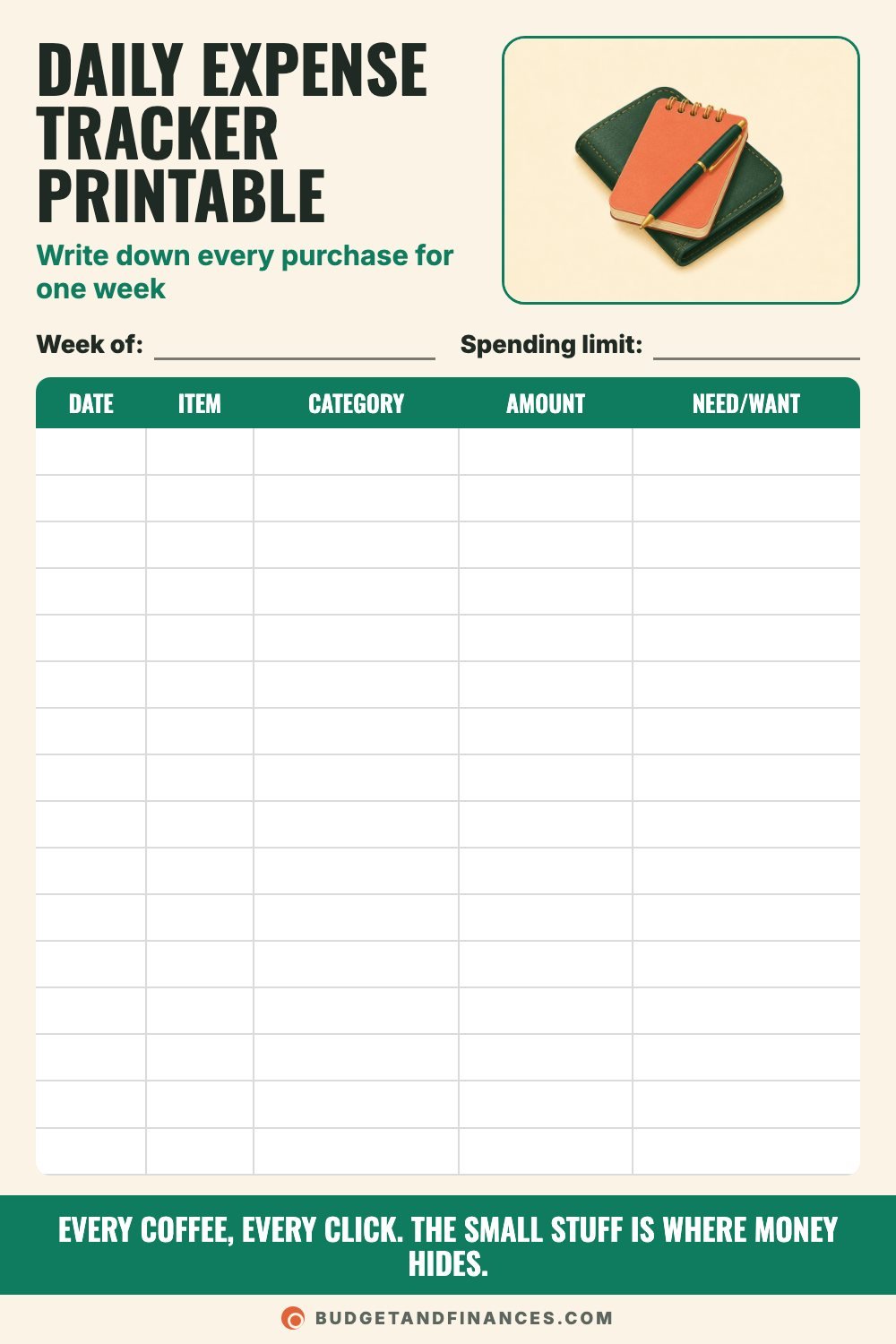
- Daily expense tracker. One page for one week. You write down every purchase with its category, amount and whether it was a need or a want.
- Monthly spending calendar. A 31-day grid where you write each day’s spending total and color in the days you spent $0.
The daily tracker gives you detail. The calendar gives you the big picture. Using both for a month shows you exactly where your money goes.
How to fill in the daily expense tracker
The top fields
- Week of: the date of the first day you’re tracking.
- Spending limit: a number for the week, if you have one. In your first week, it’s fine to leave it blank and just observe.
The columns
The tracker has 16 rows and five columns.
- Date: the day of the purchase.
- Item: what you bought, in a few words. “Coffee,” “Gas,” “Birthday card.”
- Category: keep it to five or six, like food, home, car, kids, fun and other.
- Amount: the exact amount, including tax and tips.
- Need/Want: write N or W. A need is something you’d have to buy anyway. A want is something you chose.
Be honest in that last column, and don’t overthink it. Groceries are a need. The takeout on a night you didn’t feel like cooking is a want. Nobody sees this sheet but you.
If a week has more than 16 purchases, print a second page. Include bills paid by card, and anything paid in cash.
Worked example: one week of tracking
Say your weekly spending limit is $250. Here’s what a filled-in week could look like:
| Date | Item | Category | Amount | Need/Want |
|---|---|---|---|---|
| Mon | Coffee | Food | $5 | W |
| Mon | Groceries | Food | $86 | N |
| Tue | Gas | Car | $42 | N |
| Tue | Lunch out | Food | $12 | W |
| Wed | Coffee | Food | $5 | W |
| Wed | Phone app | Fun | $5 | W |
| Thu | School field trip | Kids | $15 | N |
| Thu | Snacks | Food | $3 | W |
| Fri | Takeout | Food | $38 | W |
| Fri | Delivery fee + tip | Food | $8 | W |
| Sat | Online order | Other | $24 | W |
| Sat | Paper towels + soap | Home | $17 | N |
| Sun | Coffee | Food | $5 | W |
What Sunday’s totals show:
– The week came to $265, which is $15 over the $250 limit.
– Food was the biggest category at $162.
– Of that $162, groceries were $86. The other $76 was coffee, lunch, snacks, takeout and delivery.
– Needs came to $160 and wants came to $105.
None of those purchases felt big. But the $76 of food wants is the clearest place to look first, and you only found it by writing it down.
Small expenses that add up fast
Here’s the monthly math on everyday spending. Circle the ones that sound like you, then check your own numbers with the tracker.
- Coffee runs: $5 x 20 workdays = $100 a month
- Takeout lunches: $12 x 10 lunches = $120 a month
- Streaming services: 3 at $15 each = $45 a month
- Extra store runs: $25 x 4 quick trips = $100 a month
- Drinks and snacks: $3 a day x 30 days = $90 a month
- Delivery fees + tips: $8 x 6 orders = $48 a month
- App subscriptions: 4 at $5 each = $20 a month
- Online impulse buys: $20 x 4 orders = $80 a month
- Car washes: $15 x 2 washes = $30 a month
If all nine applied to one household, that would be $633 a month. Your list won’t look exactly like this. Track one week to find your real numbers.
How to use the monthly spending calendar
The calendar is quicker to fill in than the daily tracker, and it’s good for spotting patterns across a whole month.
Top fields
– Month: the month you’re tracking.
– Daily limit: an optional target for each day. A $40 daily limit works out to $1,240 over a 31-day month.
– Monthly total: add up every daily total at the end of the month.
Filling it in: each night, write that day’s spending total in its box. Color in every day you spend $0.
After a few weeks, look across the rows. You may find that Fridays or weekends cost far more than weekdays, or that most of your $0 days happen early in the week. A month of daily totals shows your spending patterns fast.
Your 30-day expense tracking plan
Four weeks of real numbers makes a budget you can keep. Here’s what to do each week.
Week 1: Record everything (days 1-7)
- Write down every purchase, even $1.
- Don’t change your spending yet. You’re collecting information, and changing habits now hides the real picture.
Week 2: Sort into categories (days 8-14)
- Group week 1 into food, home, car, kids and fun.
- Keep logging every new purchase.
Week 3: Spot the patterns (days 15-21)
- Find the category that surprised you most.
- Mark the purchases you’d skip next time.
Week 4: Set your limits (days 22-30)
- Set a weekly limit for your top two categories.
- Turn your totals into next month’s budget.
In the example week above, that might mean a food limit that keeps groceries where they are and cuts the $76 of food wants in half.
How to track expenses without quitting
If you’ve tried before and stopped, these seven tips make it easier. Track first, cut later.
- Start with one week. A week feels doable, and seven days is enough to spot your biggest habits.
- Write it down right away. Log each purchase before you leave the store or close the shopping app.
- Keep categories simple. Five or six is plenty: food, home, car, kids, fun and other.
- Include the tiny stuff. The $3 and $5 purchases are the easiest to forget and the quickest to add up.
- Check your bank each night. A quick look at your account catches anything you forgot to write down.
- Record, don’t judge. Tracking is for learning. Save the cutting back for after the week is done.
- Total it every Sunday. Add up each category once a week and compare it to your budget.
Common mistakes
Cutting spending during week one. You’ll get a clean-looking week that doesn’t match real life. Spend normally first.
Forgetting cash and small card charges. These are exactly the purchases the tracker is for.
Too many categories. Fifteen categories turns a two-minute habit into a chore. Stick to five or six.
Tracking without totaling. The Sunday totals are where you learn something. Skipping them leaves you with a list and no answers.
Stopping after the month. Once you’ve built a budget, a lighter weekly check keeps it honest.
FAQ
How long should I track my expenses?
Start with one week to spot habits, then aim for a full month so you catch things that don’t happen weekly, like bills, haircuts or a birthday.
Should I track bills on the expense tracker too?
For the first month, yes. It gives you a complete picture. Once your fixed bills are on a bill tracker or in your budget, you can focus the daily tracker on everyday spending.
What’s the difference between a need and a want?
A need is something you’d have to pay for to live and work, like groceries, gas or a prescription. A want is a choice, like takeout or a new shirt you didn’t have to buy. Some purchases are a bit of both, so pick the one that fits best.
What do I do with my tracking results?
Use your category totals to set planned amounts in next month’s budget, and set weekly limits on the one or two categories that surprised you most.